Showing posts with label CSS. Show all posts

Wednesday, 2 April 2014

Less familiar but much useful CSS properties

Using CSS is a routine drill for every web designer and developer. Oh, don't tell me you are a web designer and you don't worry about your CSS. Having read this post till the end, you will have an idea about these overlooked CSS properties. These properties can really optimize your style sheet, make your things done easy.

So, here it goes..

1. align-items 

Specifies alignment of content inside the container. 

And values you can use are:
  • stretch: contents is stretched to fit the container
  • center: content is centered to its container
  • flex-start: content at beginning of the container, starting from top-left.
  • flex-end: content at endof the container, starting from bottom-left.
  • baseline: content is placed at the baseline of the container.
 Supported in IE10+, Firefox, Chrome, Opera

2. backface-visibility

Determines the visibility of backside of the div

This is useful when you perform any transformation on the div like rotate, skew, etc.
CSS back-face visibility

 And values you can use are:


  • visible: Back-face is visible.
  • hidden: Back-face is not visible.
Supported in all major browsers.


2. caption-side

Position of a table's caption

I have seen people creating a row within a table just for putting a caption. Hey, you don't need to do that, when you can use caption-side, provided you are using <caption> tag.
And values you can use are:
  •  top: Caption at the top of the table.
  •  bottom: Caption at the bottom of the table.
Supported in all major browsers.


3. column-count

Divide the container in number of columns

Want to show newspaper like columned content? Column-count is pretty useful for you.
AVYCUA: (smart-work!)
  • number: Specify a number of columns to divide the container in.
  • auto: Automatically sets value according to the value of column-width
Supported in IE10+ and rest of the major browsers.


4. column-gap

Specify the gutter width between two columns.

Having used column-count, now you can specify the gutter or margin between columns. You can use column-rule to specify color and width of this gap.

AVYCUA:
  • length: Length in pixel to specify the gap.
  • normal:  Default length of 1em.
Supported in IE10+ and rest of the major browsers.


5. quotes

Specify the characters to be used as quotation mark.

Did you know, you can use any character as a quotation mark? For example, you can write
«French Quotes» instead of usual "French Quotes". For that you have to use HTML's <q> tag for quotes. This is how you write in CSS:
q
{
quotes: "«" "»";
}

 You can specify four values for this property as,

 quotes: "«" "»" """ """;

Don't get confused by the Braille in the end.The first two values within " " are for outer quotes and next two values specify character for inner quotes. So above string would look like this now:
 «"French" Quotes»

Supported in all major browsers.

 There are more properties than these five which are less used, but the reason I haven't add those here is either those are deprecated or major browsers do not  support.

Enjoy designing!

Wednesday, 12 March 2014

Awesome Text Flip Effect using jQuery

This idea popped up in my brains, when I saw a digital ad board in Deccan side chowk in Pune. The ad displayed on it was sporting some cool text, which would animatedly flip its each character to a new character, forming a new cool text.

So that thing in my mind, I have tried to imitate  that in some sense on my client's homepage. But little bit differently.
Check out this fiddle to see it live.
It is amazingly easy using jQuery. Simply styled wiith CSS.

How to do a text flip?

Create a <p> element inside a <div> with following code.

    <div class="textflip">
        <p></p>
    </div>


In .textflip we have a paragraph element, where we are going to append a line or a string which will be flipped. The following script is self explanatory, which gets single character out of a string, and replaces with a single character of another string.

     /************************************
   Create two strings manually, with same lenghts.
   *************************************/
   var str = "0110 1101 1111 0100111";
   var str2 ="Live life king size...";


    /***********************************************
       Loop through each character. 

       Append that character as a <span> to
       <p> in our '.textflip' which is a container.
    ************************************************/ 

    for(var i=0; i<str.length; i++)
    {
      $('.textflip p').append('<span>'+str[i]+'</span>');
     }
      
     
    var halt = 75; // Animation speed
    var j=0;

   
    //Count the number of spans i.e chars in string
    var count = $('.textflip p').children('span').length;

    anim(); // Call animation function


    /************************************
     Animation function
    *************************************/  

    function anim()
    {      
       var n=j;
       $('.textflip p > span').eq(n).animate({
            opacity:0 //By putting opacity zero, vanish the character.
        },halt,function(){
            //This is what to do when character is vanished
            //Bring in the char from second string, display it by opacity:1
            $('.textflip p > span').eq(n).text(str2[n]).css('opacity',1);
                     if(j<=str.length)
                     {
                         anim(); //Animate jth char until j is not an end char.
                                  
                      }
                                   
              });
                                   
               j++;  //next character please!


       }// end of anim() 


Here, anim() is a recursive function which will run unless all characters are not flipped (replaced, actually).

Drawback here is, string length is known. What to do if length is variable? Will you help me to frame the logic for 'dynamic text flip'?

Wednesday, 19 February 2014

Useful Utilities For Web Design & Development

Here is a list of much much useful utilities for a web developer and designer, that makes their work smarter.

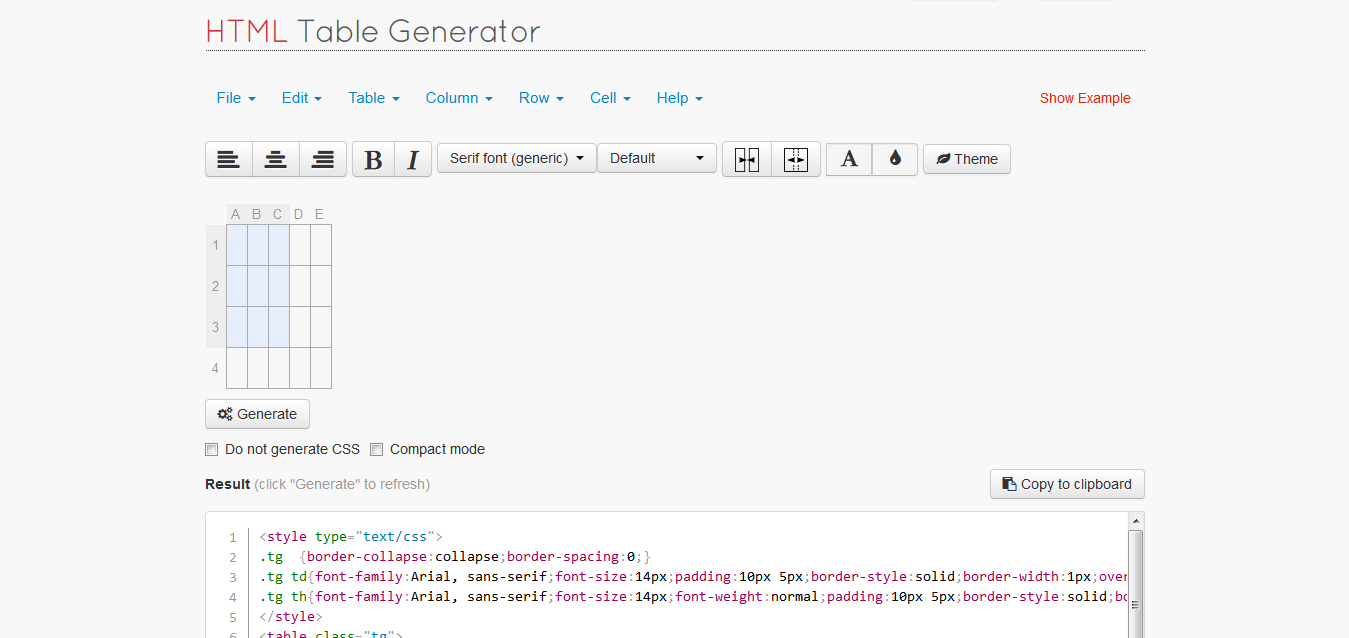
1. HTML Table Generator

HTML Table Generator

Very useful tool for people who are not familiar to HTML and CSS. You can easily get the HTML code as well as CSS for the table. You can specify rows, columns, widths, cell spacing, fonts, etc. This site also provides themes for your tables.

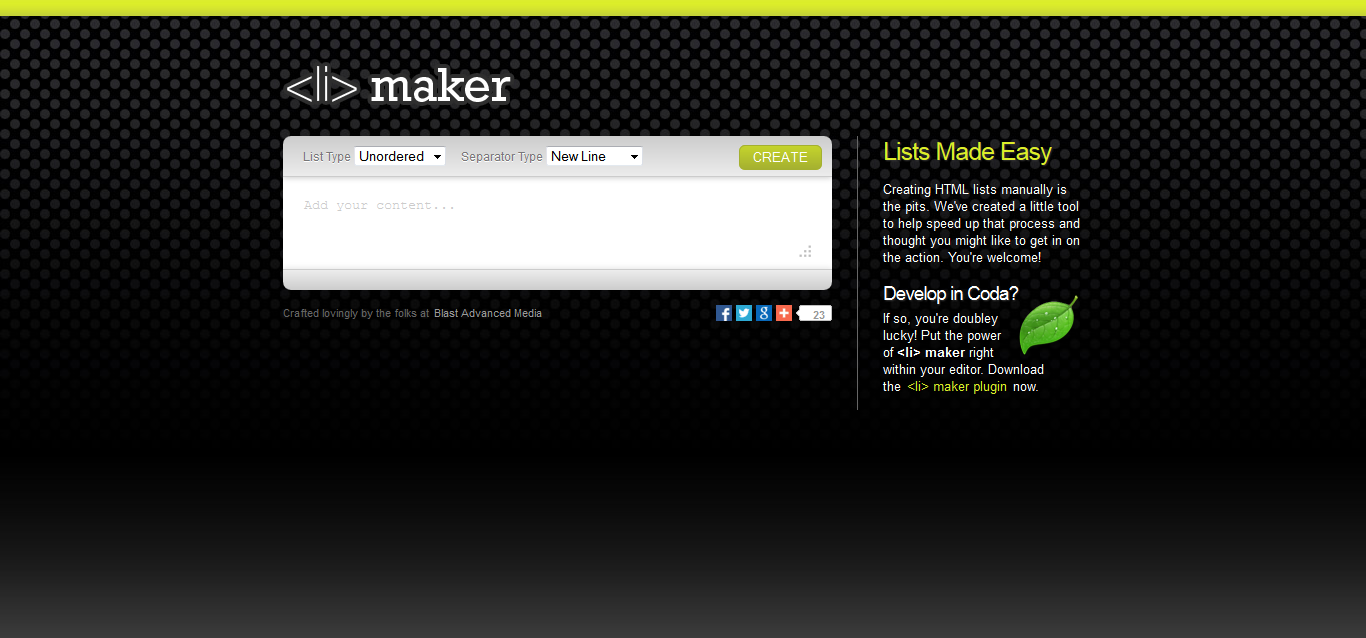
2. <li> maker

<li> maker

Its name says it all what it does. Generates  a HTML code of <ul> <li>...</li></ul>. Most beautiful thing about this is you can copy and paste even a list in your word document, and this will generate a HTML code for that.

3.Form Builder For Bootstrap

Form Builder For Bootstrap

Designers know what Bootstrap is. This site creates a form with Bootstrap classes by just dragging and dropping form elements. For developers who are less familiar about Bootstrap's classes may find it as a useful tool.

4. CSS Triangle Generator

CSS Triangle Generator
CSS Triangle generator creates a CSS code by great WYSIWYG tool. For designers it should minimize their efforts behind coding these little buggers.

5. Responsinator

Responsinator - Tool for responsive design testing
Superb responsiveness testing tool, for designers. You can check your design on almost of all size devices given here.
Did you know, you can ctrl+shift+m in Firefox now, for RWD testing?

CSS: Simple top and bottom margin hack.

Most of the web designers use very brilliant frameworks for setting up the UI, like Bootstrap, Foundation, etc. These frameworks save your great time, no doubt. Few days ago, working with Bootstrap, I observed that, though it has smart fluid grid, sometimes you have to set an element to an unusual position. You may want to leave a little top or bottom margin to a div, for example.

Bootstrap comes up with an offset option, which allows you to set the position of an element by few left or right margins. But by top and bottom margin? Nope! Bootstrap doesn't give you anything for top and bottom margins. Obviously, it is not much important when your elements are getting stacked nicely.

So, within few free minutes of my so-called "relaxing" web design work schedule (which my boss thinks I  have), I wrote a CSS, which you may find stupid, which includes 200 classes. Hundred for margin-top:0 to margin-top:100px, and same for margin-bottom

Sample Code

@charset "utf-8";
/* CSS Docu.ment */
.margintop1{margin-top:1px;}
.margintop2{margin-top:2px;}
.margintop3{margin-top:3px;}
.margintop4{margin-top:4px;}
.margintop5{margin-top:5px;}
.margintop6{margin-top:6px;}
.margintop7{margin-top:7px;}
.margintop8{margin-top:8px;}
.margintop9{margin-top:9px;}
.margintop10{margin-top:10px;}

 
Yes, you can see how stupid that is to write some line 200 times. But later this helped me, as I went on calling these classes into my templates, so that I don't need to write individual margin property in respective CSS.

Download margin.css

Also Read